


Editor's review
While talking with your beloved through Web Cam, have you ever thought of taking her live expression pictures? Sitting far off and you had the first view of your new born baby through Web Cam, why not take picture of his first reactions in front of you. All this is possible as you can capture screenshots of Web Cam images through CamShot Monitoring Software 2.5.0.
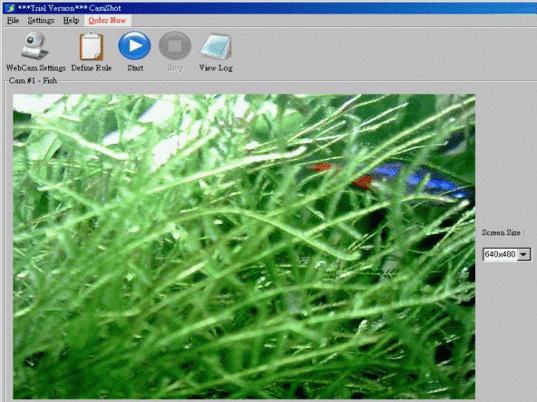
Operating the program is really simple such that you would not need to take the shots manually as it would capture it all by itself according to the chosen settings. The software’s first appearance is shows the simplicity of the program and its functions. You can set to take the screen shots and have them sent at your mailing address anytime, anywhere. With the Set up of the Web Cam you can set the title and also set the device. You can set the status to be ‘On’ or ‘Off’ according to your requirements. It works with following two monitoring modes, Motion Detect Mode and Schedule Mode. You can also have the media files played and images taken saved to the desired destination. Follow the step by step process for having the settings selected for capturing the images. You can even have the images posted in the web server or have them set as the web pages or load on the FTP server. Set the rule name, select the device and set the event mode to be Schedule or Motion Detect. It won’t miss any shot and get you all the images captured well for your collection. You can even set the screen size for the image view. Get the images captured for whatever purpose you can find or even for fun. You can capture the funny faces of your friends and send the images to them. Sounds interesting, isn’t it? Take a look at the Help guide so that you can perform the work well with the program.
CamShot Monitoring Software 2.5.0 software makes your talks interesting and also it is very easy-to-use close observation software and hence it has been rated at a decent 4 rating points. It would allow you to keep an eye over your office or home as per your desire.
User comments