

Editor's review
Make photo collage and digital scrapbook with your digital pictures with this program.
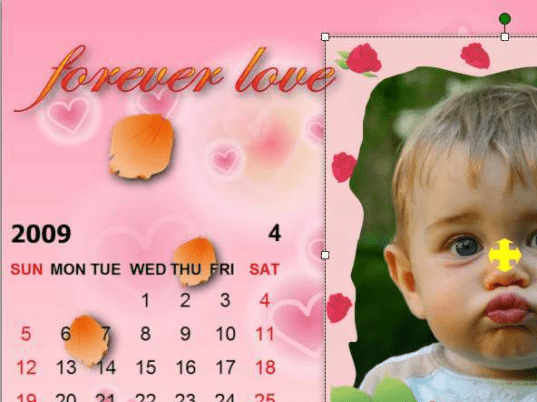
Pros: This is a photo collage and digital scrapbook maker software You can select from a variety of collage templates or create your own design from scratch. Templates are available in several categories. These include Collage, calendar, layout and custom collage formats. Custom is the option where you create your own and save the designs as collage templates. Beside the template, choose size, collage orientation etc on the opening settings page. You can drag and drop your photos to the collage. While adding photos a toolbar appears that lets you do some operations on the photos that are being dragged in. Adding shadows, changing the ration, flip and rotates, moving of layers, stretch photo and remove layers are some of the things one can do. You can add a background image or a pattern to the collage at this stage too. Photo frames, masks, clip arts, texts and callouts are more things that can be done in creating the collage. The photos can be cropped and applied auto enhancement, auto contrast and other effects. There are several categories of these items that are included in the library. The photos, texts and clip arts can be freely moved, overlaid, resized and rotated. There are several saving and printing options. The collages can be saved as JPG, GIF, PNG and other popular image formats. Save the collage as an image or a PDF or a wall paper, screensaver or saved as an executable slideshow. Can be printed of course.
The interface and the settings are quite easy. Most options are click selectable.
Cons: As with all such products, however large the library is, the choices available are never enough. Some nice and easy layout template making tools would have been a nice feature.
Overall: A nice program with easy to use interface, rated at 3 stars.
User comments