

 |
 |
|
|
 |
 |
 |
 |
|
|
MagiName is a digital file rename software to quickly rename many digital photo files and picture files. File names of digital photo files generated by digital cameras, such as "DSCF0010", "DSCF0011" are annoying. These file names make no sense. We need a file name that can remind us what the photo or picture is. MagiName can help you rename these annoying digital photo file names quickly. MagiName is a must-have handy file rename software for digital camera users.
With MagiName, you will be able to:
batch rename photo names of digital photo files generated by digital cameras, such as DSCF0015", make no sense. With this file rename software, rename all these digital photo files with custom name prefix, creation date and counter.
.
Key Features
* Batch-rename names of digital photo and picture files
Rename many photo files with one click. You can select rename different photo files in different folders.
* Preview photo files and renamed file names
Preview photo files before adding to rename file list. An example will show how the file names will be, when changing some options.
* Automatically insert file creation date into file names
Insert the file creation date into each renamed file names, eg Jordan20001031-003.
* Custom counter
The starting counter number, increment of counter and the number of counter digits can be set.
* Copy photo files and rename them in a different folder
You can rename original files in their original folder. Also you can choose to copy files to a different folder and rename files in the new folder.
|
|
Editor review: Reviewer, 2008-03-21 10:39:00
If you are a professional photographer then you must be dealing with many photographs that are routinely taken from digital cameras and you even might be having a large collection of pictures. At time you may find it hectic to rename the files and have them recognized as a series. If you are facing such a situation, you should give a try to MagiName 1.2 build45 that can rename your images in batch mode and save you from time consuming manual process. Rename them as you like and have them specified so that you can find the required ones. The software does not club all of them together. The option for renaming the image files by particular names allows you to have the images of one event all collected together.
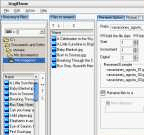
MagiName 1.2 build45 is easy to use and does not even require much of your efforts for the renaming activity. Make the selection of the directory from the left side panel and select the folder. The images present in the folder are shown down below the directory list. Make the selection of the images and add them for renaming. You can remove the images that you do not want to be included to the list. The selected images would be shown to you and then make the selection for renaming options. Select the prefix if you want it to be added and set the ‘Start’, ‘Increament’ and ‘Digital’ features set. You can even have the renamed files to be sent to another directory. For having a check the images can be previewed with the ‘Picture’ option.. Get the log record of the activities that you had carried out and have the check for which images you had renamed earlier. When you have completed the selection then you can click on ‘Rename’, and all the images will be processed.
MagiName 1.2 build45 accurately performs the batch process renaming of images and reduces the workload of managing the images of one event together. It stellar performance and easy configurability earns it’s a score of 4 rating points.
|
 |
 |
Visit homepage of MagiName
Download MagiName 1.0 b7
Popular search terms related to MagiName:
photo album, digital camera, digital photos, camera, album, rename, photo, photos, batch, picture
|

digital camera picture photo sort digital album multiple photo files create photo projects photo compression tool batch file rename eyes photo rename tags vector photo

Programs related to MagiName
Just After Shot lets you to quickly
transfer your pictures from your camera (keeping the original date and time).
acquire pictures from your scanne...
Web Gallery Builder is the essential tool for anyone who wants to create photo album Web pages with professional results. Showcase your images by crea...
A2 Flash Php Multymedia Photo-Gallery is the easy way to design, organize, display, upload online fully-featured Php Flash Dynamic Photo-Gallery with ...
Primary Features of PhotoNeat
- multiple images on pages ready for printing.
- rows and columns of images with inter-image spacing.
- invisible b...
Easy to use photo backup software that will create stunning looking photo gallery websites whilst making an archive of your digital photo library onto...
Media Universe is a photo database that adds various new functions to Windows Explorer. It is used like the file manager, but offers a number of impr...
Photo! 3D Album gives you an exciting opportunity to create stunning 3D albums where you will see your photos in the dreamlike environment of pictures...
Automatically Organize Photos - download automatic photo organizer. This tool is designed specially to automatically organize photos of any kind, auto...
FlipAlbum is the world's first software that automatically organizes digital images into realistic page-flipping picture albums. It opens the window t...
Sell stock photos through top microstock sites iStockPhoto,ShutterStock,DreamsTime,123rf,BigStockPhoto,CanStockPhoto,Fotolia,Stockxpert,Alamy,PantherM...
|