
Free Downloads Center
e.g. Annotate PDF 2.6

Latest Reviews

Popfax-Printer Internet fax

Popfax-Printer Internet fax
Popfax-Printer Internet fax, makes it simpler to send, receive and print faxes using your Internet connection.

SmartSerialMail

SmartSerialMail
SmartSerialMail, with the smart capabilities of this application you can set up a successful newsletter campaign.

Subscribe

Annotate PDF 2.6 Download

Editor's rating  
Users' rating   (1 votes) Rate it!
License Shareware / $89.95
Downloads 412
Publisher verypdf.com Inc
File size 9568K
Date added 9-Nov-2009
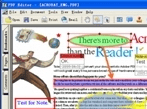
Annotate PDF screenshot

Enlarge screenshot

Publisher's description
Editor's review
Submit your review

Annotate PDF (PDF Editor) is an easy-to-use application designed for users familiar with Microsoft Office and similar applications. Annotate PDF provides tools to enable you freely write your own comments to the PDF document and share the comments with others. It also provides a very convenient way for you to add contents or change the text or add text in any font you like, especially in filling out electronic forms, correct spelling errors, delete words completely and so on. You can save, move, copy, paste and print the comments and contents. Convert PDF format files to Text files, BMP files, TIFF files, GIF files and so on. Create other format file to PDF file.

edit pdf,rotate pdf, pdf tools, convert image to pdf,preview images - easy use.
With these tools, you can save your time and money to gain the same as other applications!

Annotate PDF Features,
1. Annotate PDF supports create PDF file from EMF, BMP, WMF, JPEG, GIF, TIFF, PNG, TGA, PCX, MS Word, MS Excel, MS PowerPoint, MS Project files, Text files, WPS files and so on;
2. Annotate PDF supports create PDF file from clipboard image;
3. Annotate PDF converts PDF file to BMP, WMF, JPEG, GIF, TIFF, PNG, TGA, PCX, TXT files and so on;
4. Annotate PDF supports PDF viewing, it is a free PDF viewer;
5. Annotate PDF supports copy the text and image to clipboard;
6. Annotate PDF supports add stamp (a picture), note, draw (pencil line, beeline, rectangle and ellipse) and textbox to your PDF document;
7. Annotate PDF supports Undo/Redo functions;
9. Annotate PDF supports add text and draw (including line, rectangle, ellipse and polyline) to the content;
10. Annotate PDF supports fill out PDF forms;
11. Annotate PDF supports copy form content to excel file.

Editor review: Reviewer, 2009-11-23 11:34:00

Annotate PDF (PDF Editor) software for viewing, edit, manipulating and printing PDF files, PDF Editor can edit PDF files easily, you can write annotations, comments, add text, change text or delete words completely.

Features: Annotate PDF or the PDF Editor is an easy-to-use application. It is easy to use and lets you add notes to a PDF file. If you are familiar with MS Office and other such products getting up to speed with this application will take only a few minutes. Annotate PDF has tools that let you write your own comments to a PDF document. Adding new content, changing stuff in an existing document becomes easy. When you change material or add new content, you could easily choose the font you want. Correcting typos and filling up PDF forms also is made convenient. You can save, move, copy, paste and print the comments and contents.

It is easy to create PDF files from other files in several ways. These include files in EMF, BMP, WMF, JPEG, GIF, TIFF, PNG, TGA or PCX files;MS Word, MS Excel, MS PowerPoint, MS Project files, Text files, WPS files and so on, clipboard images also can be converted. You will need to install a virtual printer supplied by the same publisher. The application is a PDF viewer too.The utility lets you do the stamp function quite well. Graphics such as pencil lines, rectangles, ellipse and adding text with that to attract attention to the notes you made. Changing the thickness of the lines, adding colors etc. are possible. Content from Excel files also can be brought into the PDF file you are editing.Multiple levels of undo/redo as well as to completely revert helps getting around any mistakes you may make. Document properties can be read and changed.

Overall: This is a nice editor that lets you modify a PDF document quite easily.

Visit homepage of Annotate PDF

Download Annotate PDF 2.6


tga picture viewer
edit tga file
convert pdf to pcx
tga image viewer
convert tga file
wmf image viewer
gif file editor
convert tga files
convert to tga
wps format

Programs related to Annotate PDF

Copyright © 2001-2009, Free Downloads Center.