
 |
 |
|
|
 |
 |
 |
 |
|
|
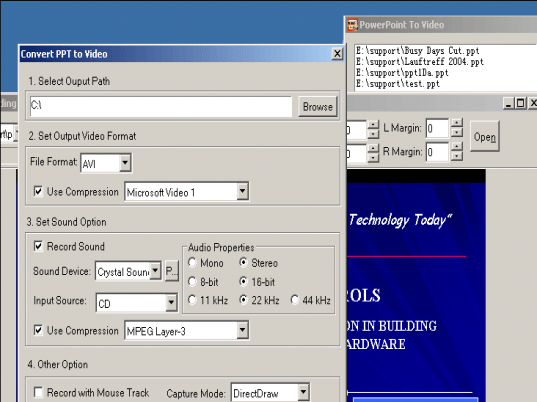
PowerPoint to Video Converts PowerPoint presentations into video [AVI] file. Sharing your presentations with everyone.
PowerPoint to Video can nearly keep all the original animations and special effects in your PowerPoint file on the video file. and can attached the sound from microphone,CD player,background music etc.
Certainly, you can burn these video file to VCD/DVD disc that can play on TV, DVD players etc.
|
|
Editor review: Reviewer, 2007-05-29 04:47:00
PowerPoint to Video is a simple and powerful PowerPoint to video tool for your business and personal needs. It can convert PowerPoint presentations (ppt files) into video (AVI) files step by step. You just need to follow an easy step by step process for the required conversion. You have to add your ppt file, set the video size, just click on start, play and stop buttons to record your video file. Your presentations can be shared with everyone at your organization.
PowerPoint to Video can put all your original creations with animations and special effects in ppt files. You can also avail the facility to attach sound from any musical instrument including microphone, CD player, or background music, etc to your video file. This way you get a video file which you need to first burn on VCD/DVD disc that can be played on TV, VCD players etc.
|
 |
 |
Visit homepage of PowerPoint to Video
Download PowerPoint to Video 3.8
Popular search terms related to PowerPoint to Video:
avi players, dvd players, vcd player, dvd player, vcd, powerpoint, microphone, avi player, file sharing, cd burn
|

avi video player powerpoint design template picture presentations powerpoint java visual basic powerpoint how to play avi file presentations maker video and sound drivers add music over video special effect video

Programs related to PowerPoint to Video
|